Short answer: Write the title for the shopper first: brand, product type, the one or two features people search for, then size, colour and quantity, within 200 characters and without banned symbols. Use bullet points to answer buying questions. Put extra search words in the backend search terms, keeping the total under 250 bytes.
Ads bring shoppers to a listing. The listing decides whether they buy. On many accounts we take over, the fastest improvement is not a new campaign but a rewritten title, five clear bullet points and a backend keyword field that Amazon was quietly ignoring.
This guide covers the rules Amazon has published for titles and search terms, how we write bullet points, and when A+ content is worth the effort. Amazon changes listing rules often and some differ by category, so check the style guide for your category in Seller Central before you publish.
What are Amazon’s product title rules?
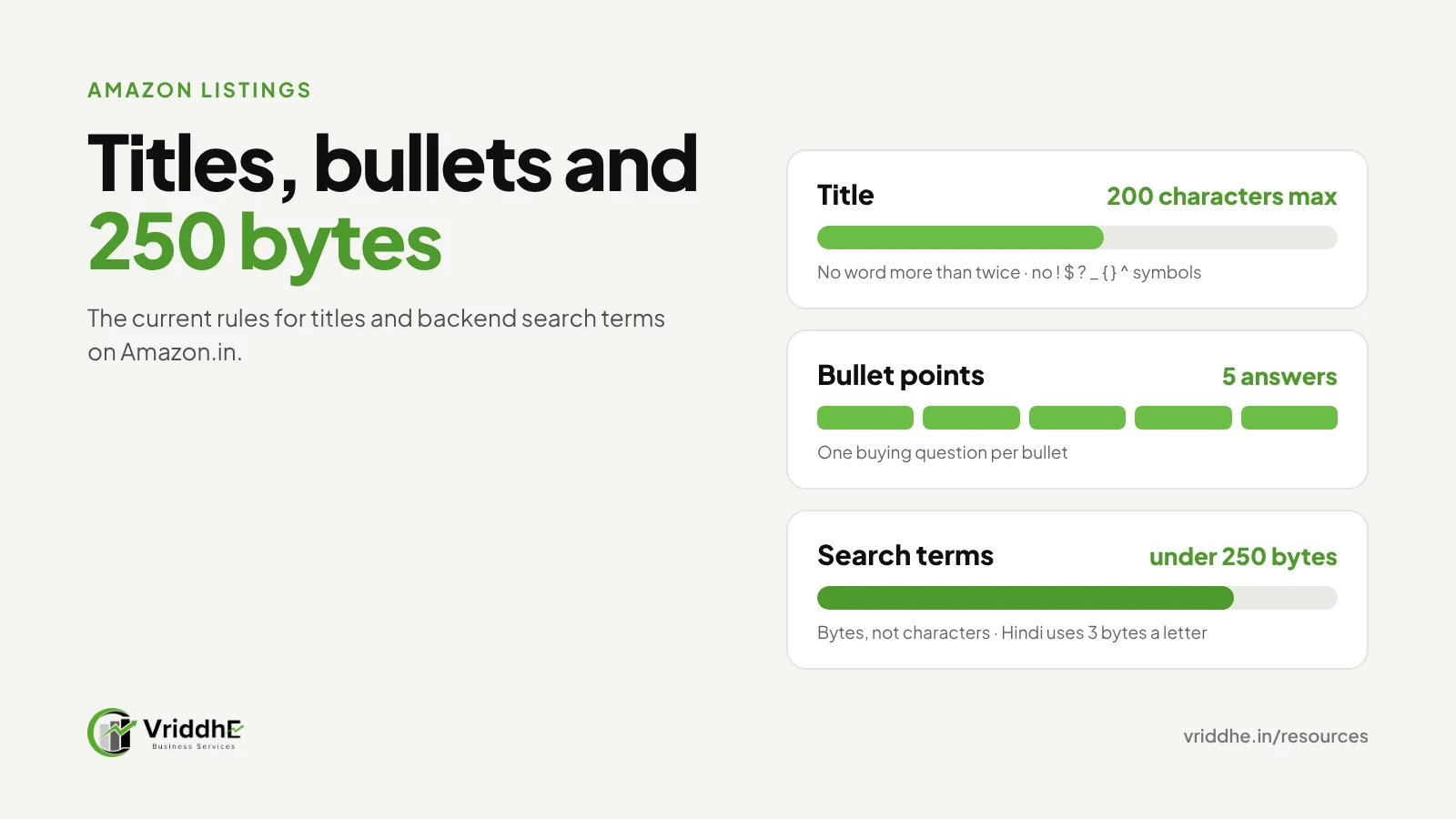
Amazon’s title requirements, effective 21 January 2025, set three rules for most categories: a maximum of 200 characters including spaces, no special characters such as ! $ ? _ { } ^ ¬ ¦ unless they are part of the brand name, and no word repeated more than twice.
Details worth knowing:
- 200 characters is a ceiling, not a target. Shoppers on mobile see only the start of a title. Put the important words first.
- The repeat rule does not count prepositions, articles and conjunctions such as “for”, “the” and “and”.
- Some categories have their own limits. Check your category’s style guide.
Amazon announced these rules in Seller Central. If your title breaks them, the listing can be suppressed from search until it is fixed, so check older listings too.
How should you structure an Amazon title?
Use a simple order: brand, product type, the main feature or use, then the details shoppers filter by, such as size, material, colour and pack quantity. Write for a person reading on a phone, not for a keyword tool.
Here is a worked example for a pooja product on Amazon.in. The brand is a placeholder.
Before (breaks the rules): “BEST Brass Diya!! Brass Diya Diwali Brass Diya Pooja Diya Oil Lamp Diya Puja Deepak Gift Gift Item”
Problems: “!!” is a banned character, “Diya” appears five times and “Brass” three, “BEST” is a promotional claim, and nothing tells the shopper the size or quantity.
After (110 characters): “[Brand] Brass Diya for Pooja, Handmade Oil Lamp, 4 Inch, Gold Finish, Set of 2 – Diwali Decoration and Gifting”
The words “deepak”, “puja” and other spellings did not disappear. They moved to the backend search terms, covered below.
What is the 250-byte limit for Amazon search terms?
Amazon’s backend search terms field accepts less than 250 bytes in total across all its fields. If you go over, Amazon can reject the whole entry, so none of those keywords are indexed. The limit is in bytes, not characters.
Bytes and characters are the same for plain English letters and numbers. They are not the same for Hindi or other Indian scripts. In UTF-8 a Devanagari character takes 3 bytes, so the four-character word “दीया” uses 12 bytes.
A worked example:
| Search terms entry | Characters | Bytes |
|---|---|---|
| brass diya pooja diwali decoration oil lamp puja deepak handmade gift | 69 | 69 |
| दीया (diya in Hindi) | 4 | 12 |
Rules we follow for the search terms field:
- Use spaces between words. No commas or other punctuation are needed.
- Do not repeat words already in the title.
- Add spellings and local words shoppers use, such as “puja” and “pooja”, or “deepak” and “diya”.
- Do not add competitor brand names. Amazon’s listing policies do not allow them.
- Count bytes, not characters, if you add any Indian-language words.
How do you write bullet points that convert?
Use each bullet point to answer one buying question, starting with the benefit in a short phrase, then the proof. Most categories give you five bullet point fields; use all five.
The five questions we answer, in this order for most products:
- What is it and who is it for? “Handmade brass diya for daily pooja and festive decoration.”
- What is it made of, and how well? Material, finish, weight.
- Will it fit or suit my need? Size, capacity, compatibility.
- How do I use and care for it? Setup, cleaning, safety.
- What do I get? Pack contents, packaging, gifting.
Keep claims factual. Words like “best”, “No. 1” or “guaranteed” need proof, and often break Amazon’s rules. Avoid ALL CAPS.
Is A+ content worth adding?
Yes, if you have Brand Registry. A+ content adds images, comparison charts and detailed text below your listing, at no direct cost from Amazon. Amazon India says Basic A+ “can increase sales by up to 8%”, and its A+ guide cites an average of 5.6%.
Treat Amazon’s figures as a guide, not a promise. In our experience, A+ helps most when it answers questions the bullet points could not, for example a size comparison chart or a “how it is made” panel.
To use A+, you need to be approved as a brand owner through Amazon Brand Registry. That needs a registered or pending trademark from an eligible trademark office. Amazon’s A+ guide also asks you to avoid promotional words like “cheap” or “free”, links to other websites, and low-quality images.
What image rules should you check?
Check four things: the main image is on a pure white background, the product fills most of the frame, images are larger than 1,000 pixels on the longest side so shoppers can zoom, and each extra image answers a question the text cannot.
Amazon accepts images from 500 to 10,000 pixels on the longest side and prefers JPEG. Images that do not meet its standards can be rejected or suppressed from search.
For the extra images, we use: one in use, one showing size against a familiar object, one close-up of material or finish, one showing what is in the box, and one comparison or features panel. Our creative and design service builds these image sets.
On one spiritual décor account, premium repositioning through detailed specifications was part of the work that took conversion rate from 8.2% to 21.4% and moved a product from page 4 to #2 in organic rank. The Gold Art India case study explains the full approach.
Common mistakes, and when this does not apply
Common mistakes:
- Stuffing the title with every keyword. It now breaks the repeat rule and reads badly.
- Going over 250 bytes in search terms, so none of them count.
- Pasting Hindi keywords without counting bytes.
- Copying a competitor’s images or text. That can lead to an IP complaint; see our Account Health guide.
- Writing bullet points as lists of keywords instead of answers.
- Changing titles every week. Give a change a few weeks before judging it.
When this does not apply:
- You are adding an offer to an existing listing you do not own. You usually cannot change its title or content; the brand owner controls it.
- Your category has its own title or image rules, such as some apparel, books or media categories. Follow that style guide.
- Your product is restricted or needs approval. Fix eligibility first.
FAQ
How long can an Amazon product title be?
For most categories, up to 200 characters including spaces, under the requirements Amazon introduced on 21 January 2025. Some categories have different limits.
Are backend search terms counted in characters or bytes?
In bytes. The total must stay under 250 bytes. English letters use one byte each, but Hindi and other Indian scripts use more.
Should I repeat keywords in the backend that are already in my title?
No. Repeating them uses space without adding reach. Use the field for synonyms, spellings and local terms.
How many bullet points should an Amazon listing have?
Use all the bullet point fields your category gives you, usually five, with one buying question answered in each.
Do I need Brand Registry for A+ content?
Yes. Amazon says sellers must be approved as brand owners through Brand Registry, and A+ can only be added to products in their approved brand catalogue.
How often should I update a listing?
Review it when you see a drop in conversion, a common customer question, or a rule change. Avoid frequent small edits that make results hard to read.
Want your listings reviewed?
We rewrite titles, bullet points, backend keywords and A+ content for Amazon and other marketplaces. See our listing and catalogue optimisation service, or book a free growth audit and we will review three of your listings.